

In Fabric, Pipelines are commonly used to automate data workflows. These pipelines often need to pass authentication credentials, such as API keys or passwords (so-called secrets), to notebooks that execute some code. Although the platform allows “secure” storage of these values within the Pipeline as SecureString parameters, the actual transfer to the Notebook runtime environment poses a potential risk if not handled correctly, because SecureStrings may appear in logs.
This article explains why directly passing secrets is not entirely secure and describes a solution using Azure Key Vault and the native Fabric Python library for communication with the key vault.
This technical guide serves as a preparation for the subsequent setup of a pipeline that enables the execution of Azure Container App jobs, where our containerized dbt project and CD functionality (updating the dbt project from the repository) are located.
Risk of SecureString Compromise in Notebook Logs – Protected (SecureString) parameters may leak into logs
In Azure Data Factory or Fabric Data Pipelines, parameters can be marked as Secure string. This ensures that their value is not displayed in the Pipeline’s own log. However, once such a value is passed as an argument to a Notebook, it becomes part of the code executed within the Spark Session. Consequently, it can appear in the standard output (stdout/stderr) and therefore in the Notebook logs. The following example demonstrates how even a “securely” passed parameter can appear in the log:
1) I created a new pipeline with parameters stored as SecureString and added a new activity – Notebook.
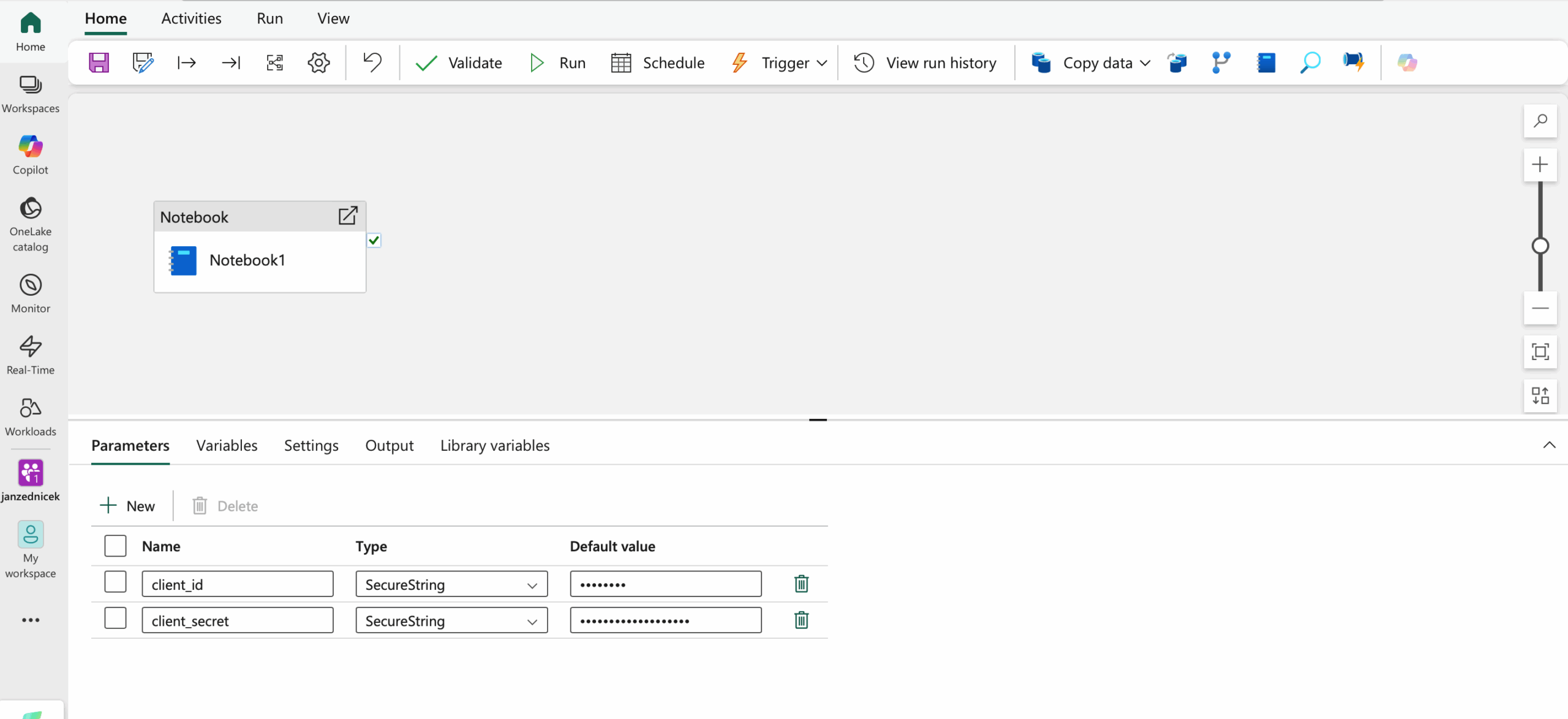
2) In the notebook, these parameters are passed from the pipeline into variables var_client_id and var_client_secret.
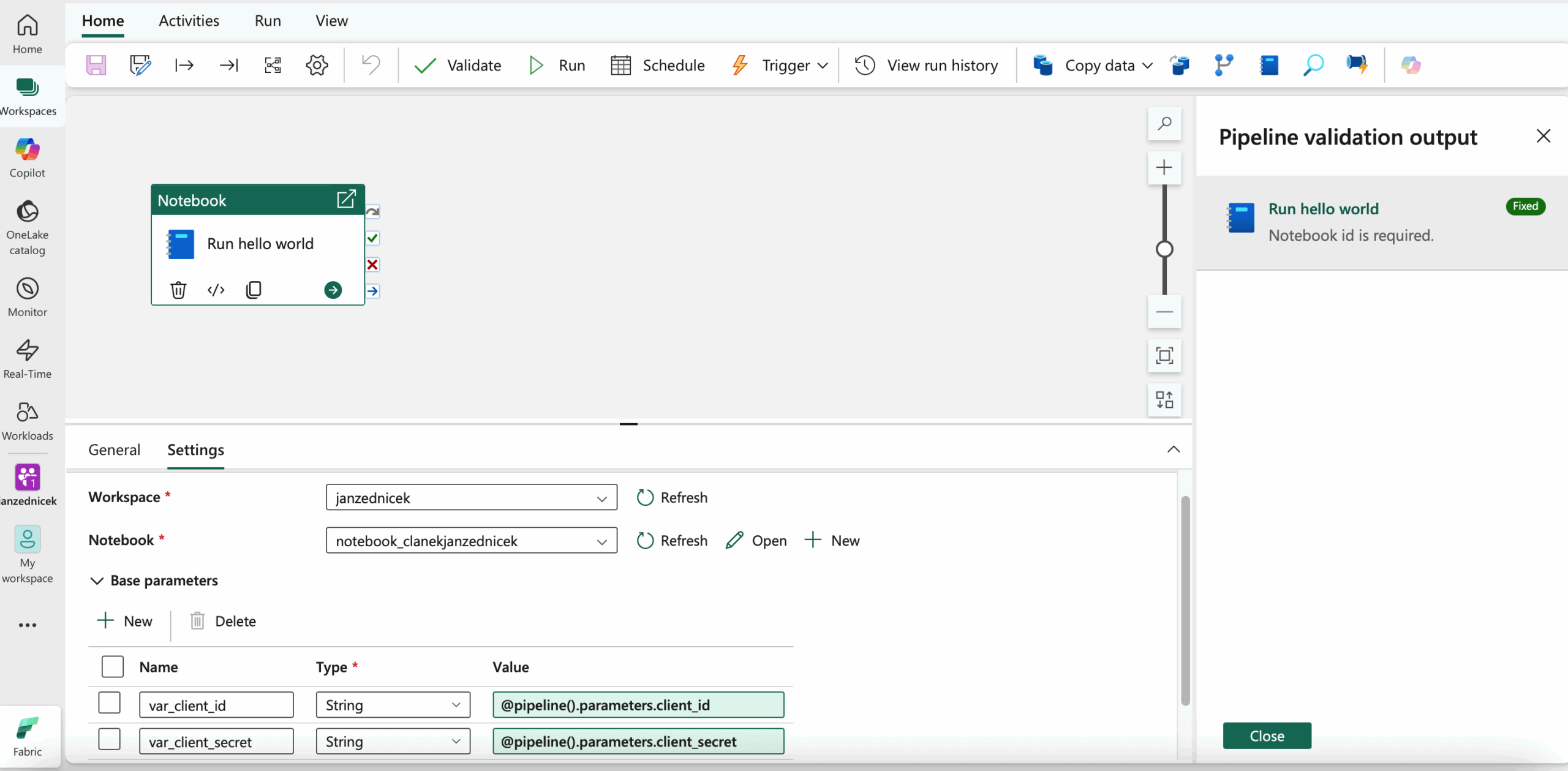
3) The notebook contains only print(“Hello, world!”)
4) When inspecting the notebook log after the pipeline run, we can see the following:
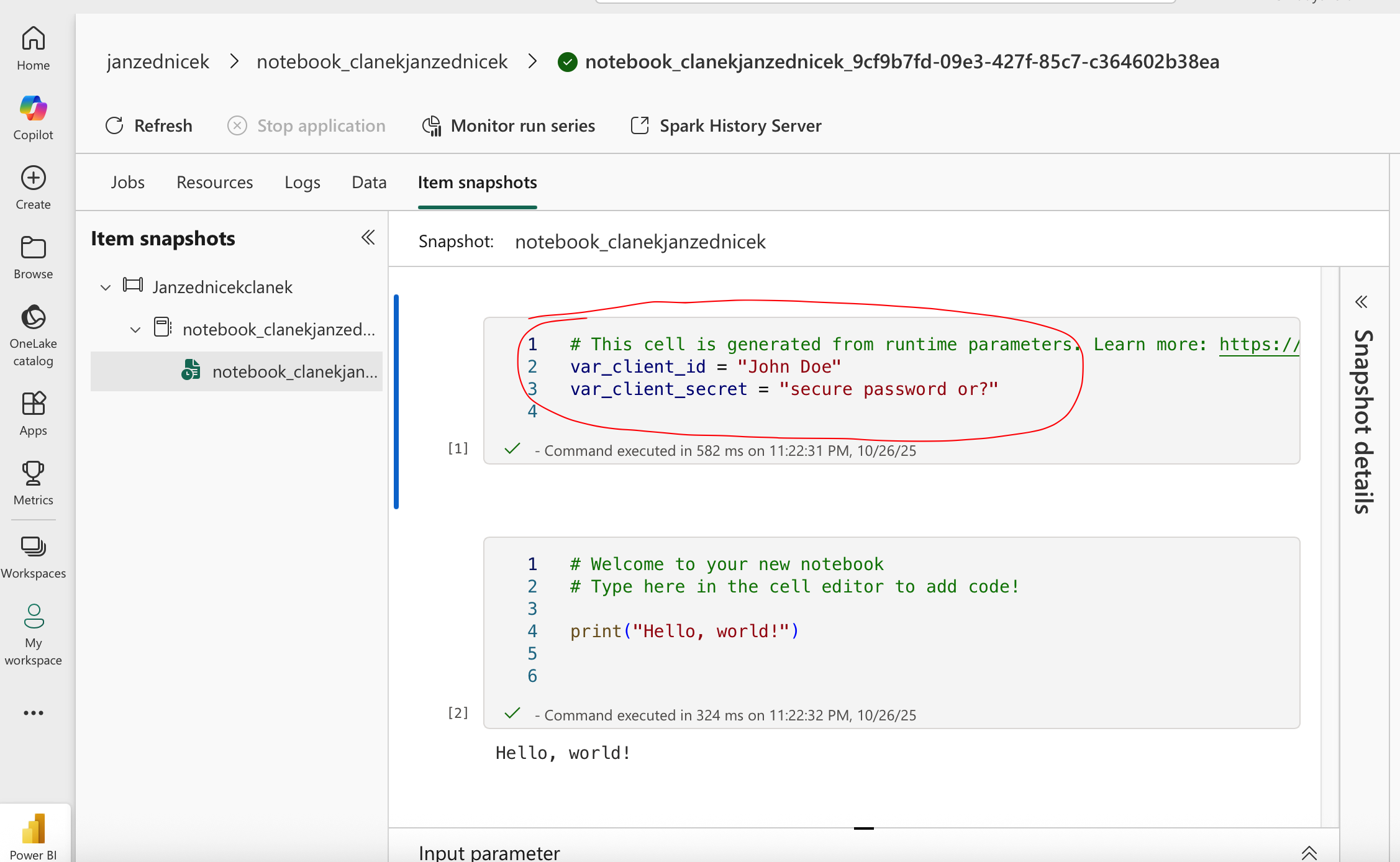
Technical explanation: The SecureString attribute protects only the logs of the Pipeline orchestrator, not the environment where the Notebook runs. The Notebook or Spark Session does not have a native mechanism for masking sensitive variables. Any
print()statement, exception, or debug output may expose the full password.
Secrets appear in the log. This is not a complete disaster, since log access is typically limited to a small group of users, but even so, secrets should always be handled in a way that prevents any exposure.
Secure Secret Retrieval: Implementing Azure Key Vault
Secure access: Zero-Trust model using Key Vault and Managed Identity
A secure solution ensures that sensitive values are never passed as parameters. The Pipeline should only pass a reference (e.g., the name of the secret), while the actual secret is retrieved directly inside the Notebook using an authorized identity.
Procedure for the Fabric platform:
- The secret is stored in Azure Key Vault (AKV).
- The Fabric Workspace Managed Identity is granted permission to read the secret.
- The Notebook retrieves the secret using the notebookutils library, which leverages the Managed Identity. 1 2
Minimal Key Vault Implementation
Example notebook code:
import notebookutils

KEY_VAULT_URI = "https://example-vault.vault.azure.net/"
SECRET_NAME = "my-client-secret-name"

try:
    client_secret = notebookutils.credentials.getSecret(KEY_VAULT_URI, SECRET_NAME)
    print("The secret was successfully retrieved and is ready for use.")

except Exception as e:
    print(f"FATAL ERROR: Failed to access the secret: {e}")
    raise
Conclusion
Strict secure handling of sensitive information in data workflows requires that no password or key ever appears in logs or as a parameter. Using Azure Key Vault in combination with Managed Identity and the notebookutils.credentials.getSecret() method represents a secure and architecturally sound approach that aligns with Zero-Trust principles and meets security audit requirements.
Reference
- Microsoft documentation, Create, develop, and maintain Synapse notebooks [online]. [cit. 2025-10-26]. Available from: https://learn.microsoft.com/en-us/azure/synapse-analytics/spark/apache-spark-development-using-notebooks?tabs=classical#assign-parameters-values-from-a-pipeline
- Syntera, How-To Access Azure Key Vault Secrets from Fabric Notebook [online]. [cit. 2025-10-26]. Available from: https://www.syntera.ch/blog/2023/10/18/how-to-access-azure-key-vault-secrets-from-fabric-notebook/