

In the previous article – Fabric – ADLS Gen2 and Parquet – Storage Configuration and Bronze Data Format – I described how Azure ADLS Gen2 is set up for storing and archiving our source parquet files. In order to upload our source data into the Fabric Bronze layer and subsequently process it using dbt, we need to connect Azure storage to the Fabric Lakehouse.
In Fabric, instead of moving data directly, it is possible to use the shortcut feature, which allows Fabric to access files directly in ADLS Gen2 from the Lakehouse artifact, simplifying integration.
What a shortcut is in Fabric
A shortcut is similar to a link within the Fabric Lakehouse that points to an external data location (in our case, ADLS Gen2 storage). The data remains physically stored in its original location, but Fabric can read and process it as if it were local tables in the Lakehouse – via SQL or Python. Thanks to the appropriate structure, which we demonstrated in the previous article, we can query data in ADLS Gen2 quickly and accurately.
To recap – how we store data
/data-lake/
   └── 01_bronze/
       └── <source_system>/
           └── <table_name>/
               └── year=<ingestion_year>/
                   └── month=<ingestion_month>/
                       └── day=<ingestion_day>/
                           └── <ingestion_timestamp>data.parquet
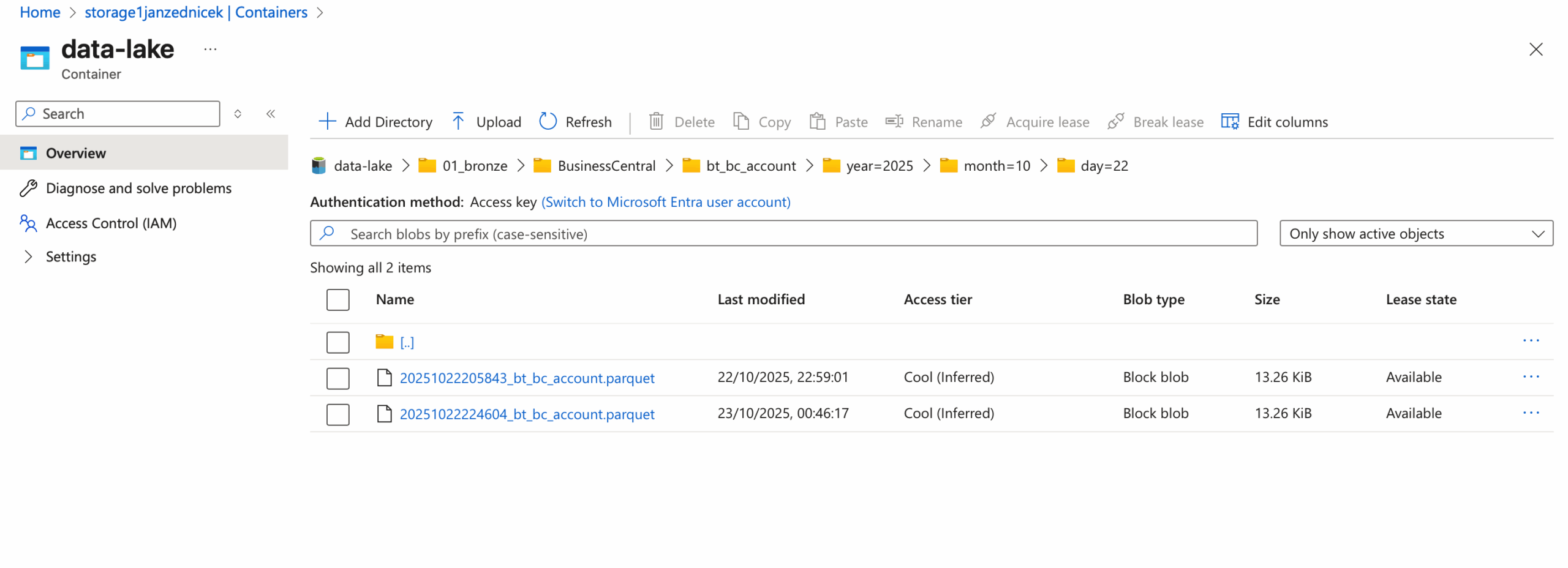
Procedure to connect ADLS Gen2 with Fabric Lakehouse using a shortcut
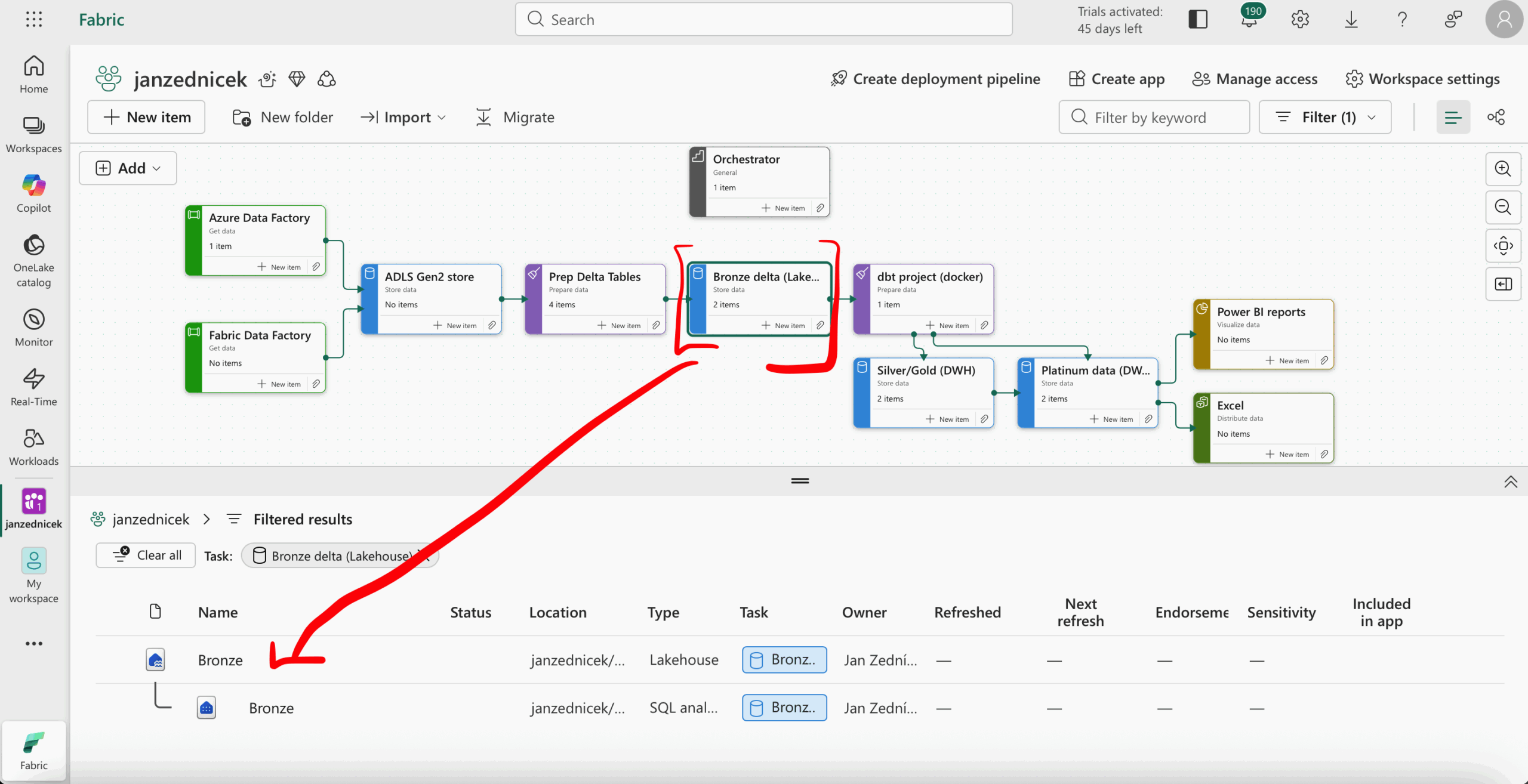
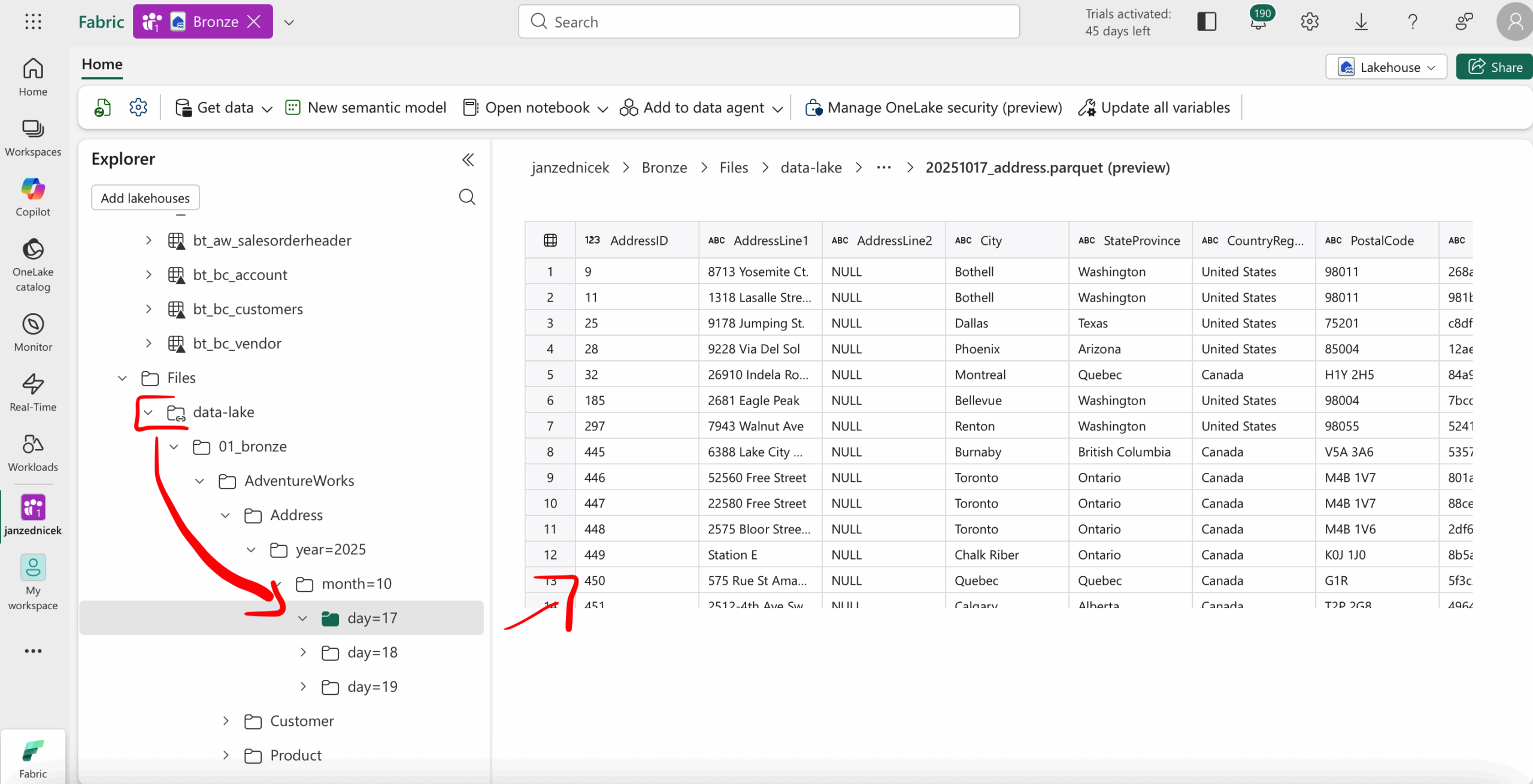
- Log in to Fabric – open your workspace and navigate via our convenient Task flow navigation to the Lakehouse artifact
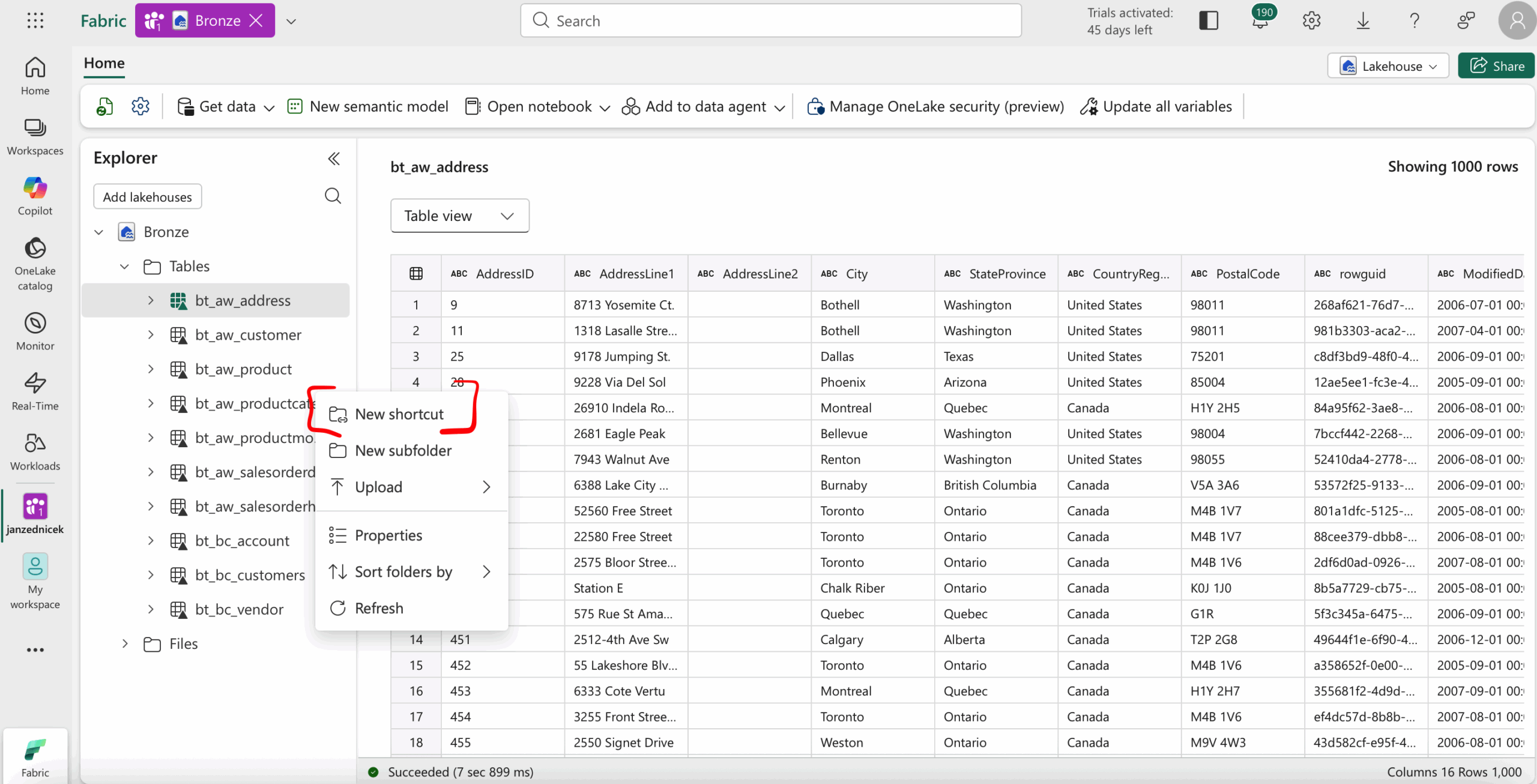
- Create a shortcut – in the Lakehouse, select the New shortcut option
- Enter the ADLS Gen2 folder path you want to connect and then select the root directory from ADLS to create.
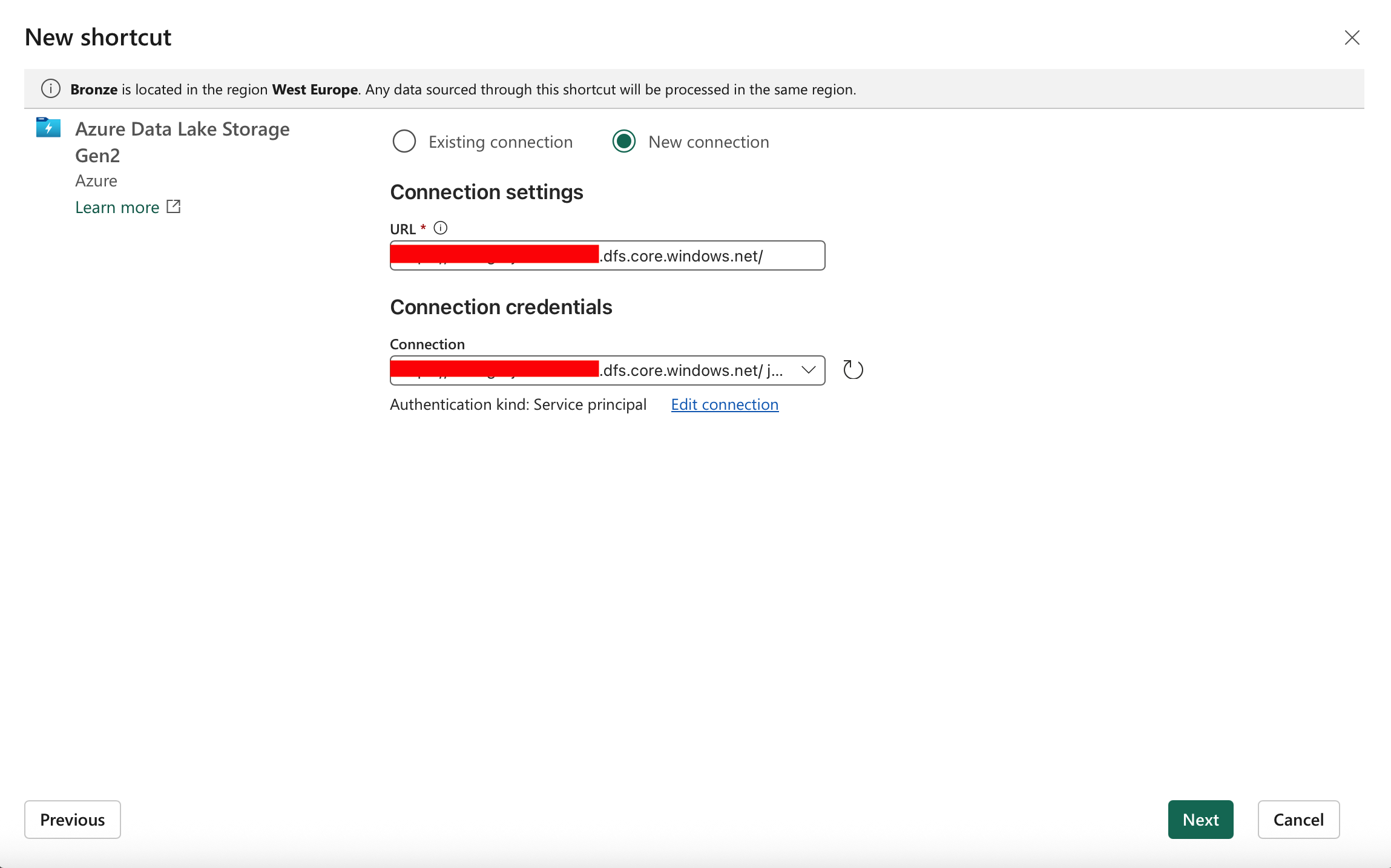
- Set access permissions – ensure that Fabric has permission to read the folder in ADLS Gen2 (e.g., via Managed Identity or Service Principal).
- Verify access – after creating the shortcut, open the folder in Lakehouse and test that Fabric can display the files and their metadata.
Next steps after connecting
Once the shortcut is created, data from ADLS Gen2 can be processed. Typically, the following steps are performed:
- Load data from the shortcut into Bronze Delta tables using Fabric notebooks – merging source data
- Transform data into Silver and historize as a basis for Fabric | dbt – Slowly Changing Dimension (SCD 2) – Snapshots and Check Strategy in dbt with example
- Transform data into Gold medallions using dbt
- Orchestrate processes via pipelines and notebooks