

Workspace and its Role within the Fabric Architecture, Domains
In Fabric, a workspace functions as a logical unit for organizing and managing all data solution artifacts within the workspace (similar to a workspace in Power BI) – e.g., pipelines, notebooks, lakehouses, warehouses, etc. Proper organization of workspaces within an organization is important primarily for convenient management of the data solution and efficient access control organization.
Domains – A relatively new feature in Fabric is so-called domains. They sit above workspaces and represent a higher-level organizational element, to which workspaces can then be assigned to create logical units according to business or data logic. Domains form a key element of data-oriented architecture based on the principles of Data Mesh, where each business domain (stream) is owned by its steward – e.g., Finance, Sales, Marketing, and others. Domains are created in the Fabric Admin portal – Domains, and can then be assigned to workspaces. 1
In Microsoft Fabric, the Task Flow feature can be used for organizing and visualizing processes and their artifacts – A typical example is the Medallion Task Flow, which serves solely as a visual representation of the task flow between the layers of the medallion architecture (Bronze -> Silver -> Gold). This type of flow does not perform any task execution or orchestration – its purpose is to clarify relationships between artifacts, document solution structure, and facilitate orientation in a complex workspace environment.
After creating a new workspace, we can create a Task flow, see screenshot, either (a) from scratch or from a pre-prepared template. The most efficient approach is to start from a template and then customize the solution.
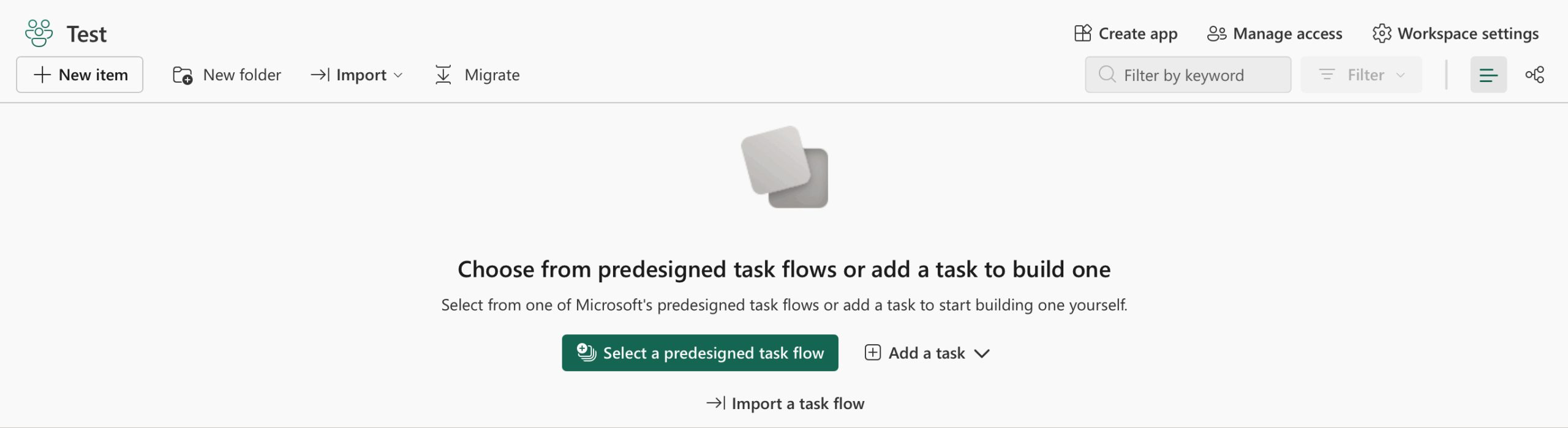
We can create a flow completely from scratch or use predefined templates. The simplest scenario could include a workflow divided into several tasks. The design of the structure and the organization of artifacts is entirely up to your preferences.
- Task 1 – Raw data ingestion (Bronze)
- Task 2 – Cleaning and transformation (Silver)
- Task 3 – Aggregation and business logic (Gold)
- Task 4 – Updating Power BI datasets
Example of a Task Flow – Medallion Architecture
Fabric natively supports the implementation of the so-called Medallion Architecture as a task flow, structuring data into Bronze, Silver, and Gold layers. This approach ensures gradual transformation of task from raw input to business-value outputs. The Bronze layer stores source data in its unaltered form, the Silver layer contains cleaned and normalized data ready for analytics, and the Gold layer provides aggregated data products intended for reporting or machine learning.
We also implement the Medallion Architecture in the project from which this series of articles on Fabric originates – check the Fabric category or the article Fabric | dbt – Architecture and the Role of dbt in the Medallion Architecture. Our architecture looks like this:
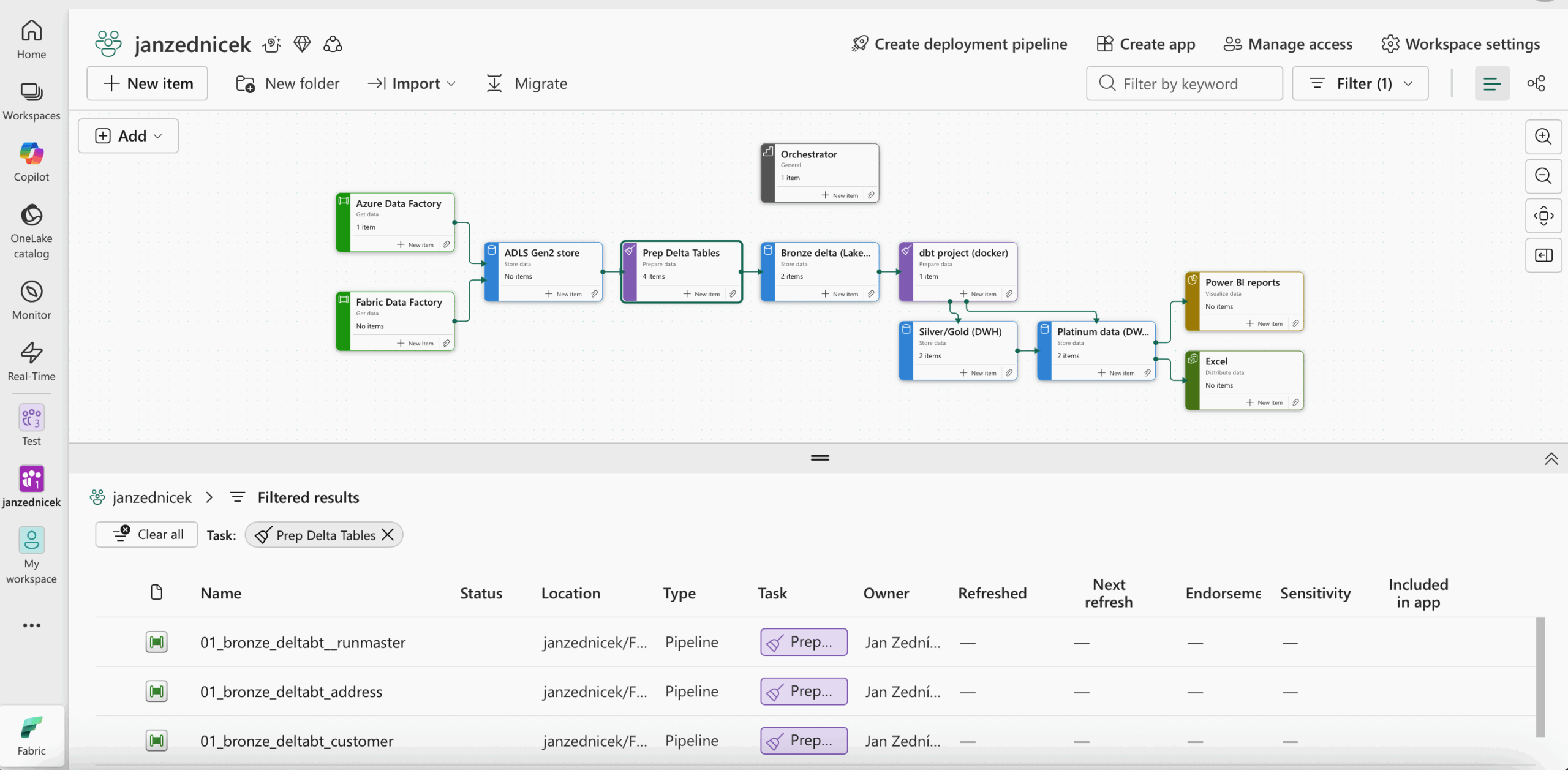
Clicking on a Task displays all items assigned to that task in the bottom panel.
Reference
- Microsoft documentation, Fabric domains [online]. [cited 2025-11-01]. Available from: https://learn.microsoft.com/en-us/fabric/governance/domains