

The NPER function belongs to the simpler financial functions used in financial mathematics and interest calculations. With this function, we can easily determine how long we will be repaying a loan, given (i) the loan amount, (ii) the interest rate, and (iii) the annuity payment (PMT). In this article, we’ll demonstrate how the function works on a simple example.
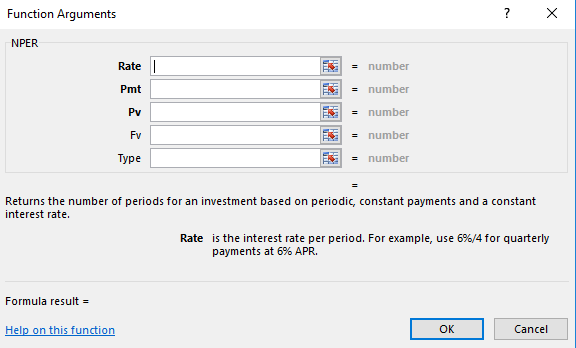
Syntax of the NPER Function in Excel
=NPER( rate; pmt; pv; [fv]; [type] ) (English version of Excel)
Example of Using the NPER Function
Since all financial functions in Excel are interconnected, let’s revisit an example from the article PMT Function – Loan Payment and Amortization Schedule, where we calculated the amount of the annuity payment.
Let’s recap the loan parameters used in that example:
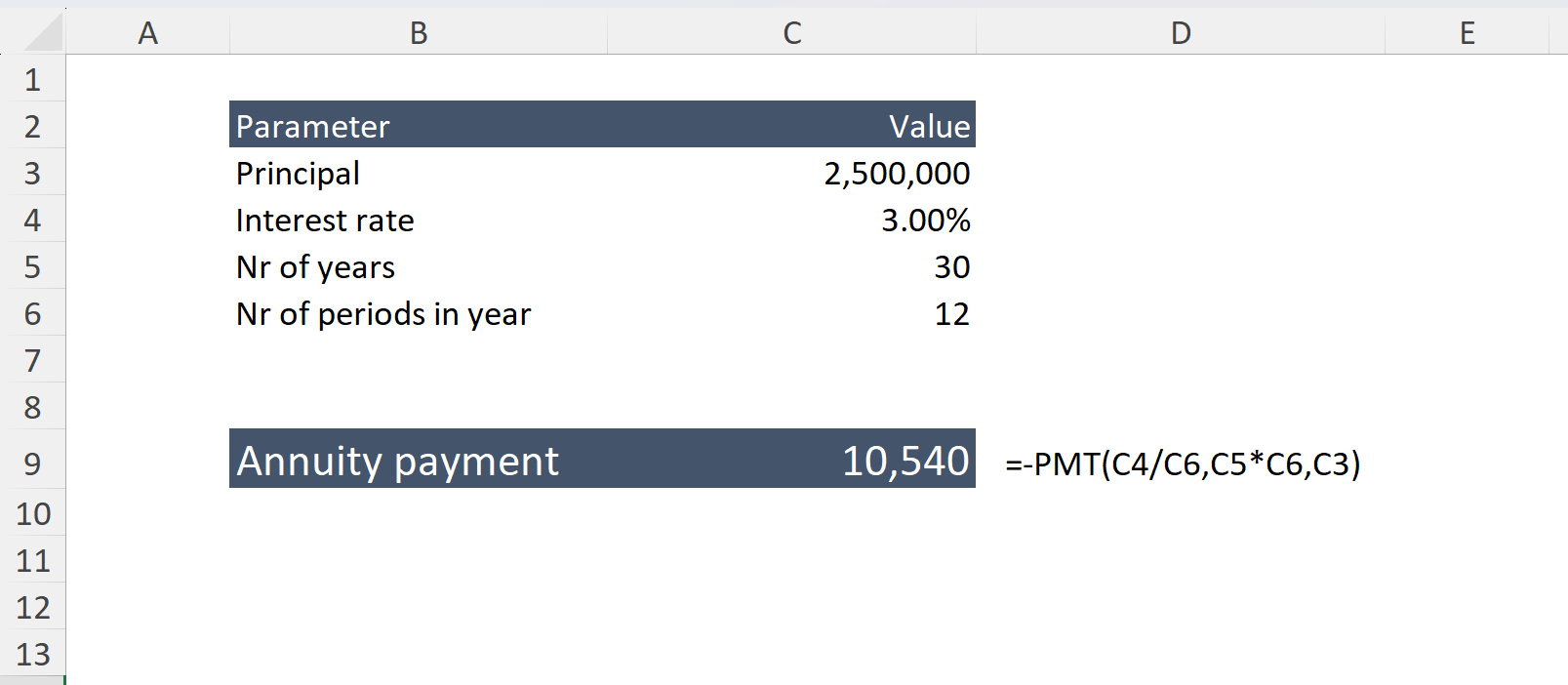
After performing the calculation, the resulting payment was 10,540 USD
Now let’s verify whether the NPER function will return the correct loan term of 30 years using the following parameters: payment, interest rate, and loan amount. In other words, the NPER function calculates how long it takes to repay a loan when these values are known. Logically, we should get back to the original term of 30 years.
Solution:
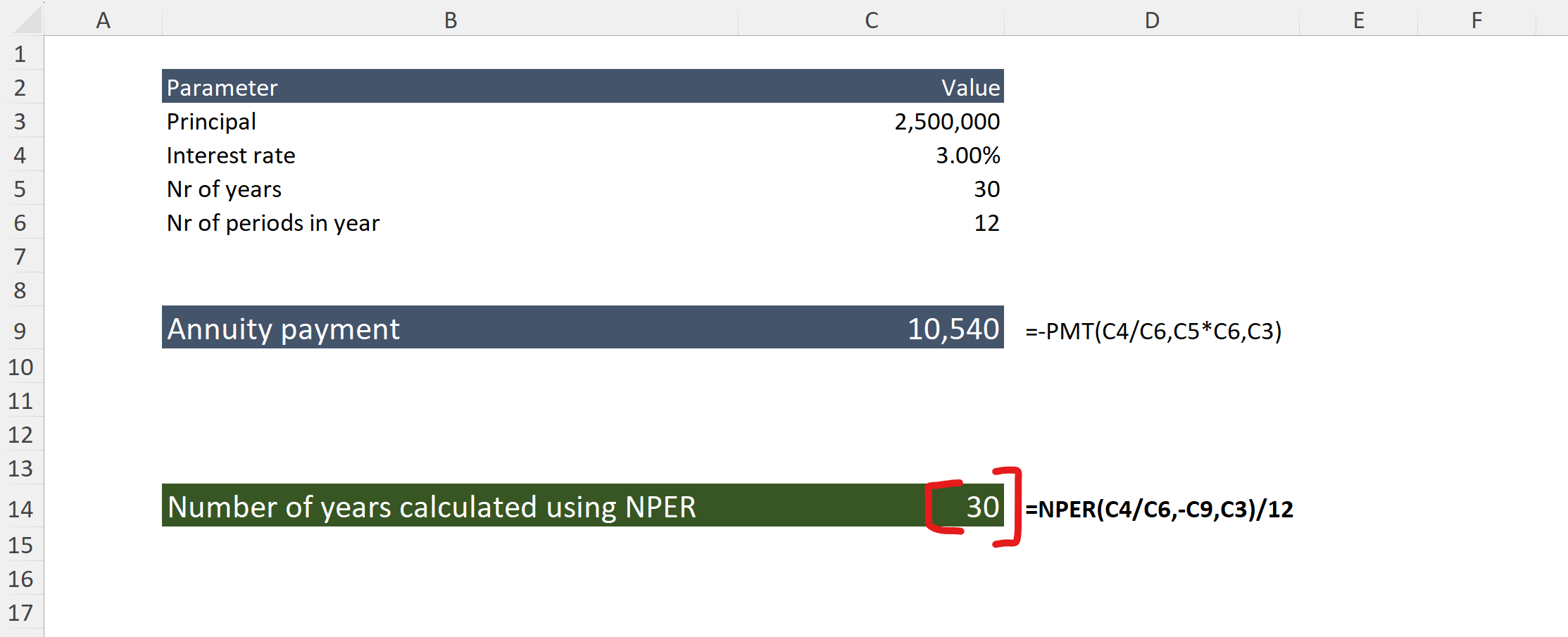
As you can see, the calculation confirms the original loan maturity – 30 years – based on the annuity payment.