

This article describes the process for configuring the profiles.yml file within the dbt tool to be able to properly connect to the Microsoft Fabric SQL Endpoint using Service Principal (SPN) authentication (we covered SPN in article Fabric | dbt – Azure Service Principal (SPN) and RBAC for dbt in Entra ID). The goal is to ensure a secure and automated and secure connection between the dbt project and the data warehouse in Fabric without the need to use user accounts.
In Microsoft Fabric, a SQL endpoint is an interface (endpoint) that allows you to access data stored in a lakehouse or warehouse using SQL queries — similar to working with a traditional database in SQL Server or Synapse.
Configuring profiles.yml for Fabric
The profiles.yml file is a key configuration component of dbt that defines the connection string to the target destination (Fabric DWH). In our environment, we have a Lakehouse as Bronze and a Data Warehouse as Silver and Gold. Since both artifacts are in the same Fabric workspace, they can see each other.
This means that it is sufficient to configure the connection to the DWH where the data will end up, and the data source (Bronze Lakehouse) will be later defined in the source.yml file only as a list of tables.
When connecting to the Fabric SQL Endpoint using SPN authentication, it is necessary to specify the connection type fabric, the ODBC driver, and the required tenant, client, and secret identifiers. We will use the dbt-fabric adapter, the configuration of which we have discussed in a separate article. Example configuration (sensitive data hidden) with separate dev and prod environments:
fabric_data_platform:
  target: prod
  outputs:
    prod:
      type: fabric
      driver: 'ODBC Driver 18 for SQL Server'
      server: ${DBT_FABRIC_SERVER}
      port: 1433
      database: 'DWH'
      method: spark
      schema: 02_silver
      authentication: ServicePrincipal
      tenant_id: ${DBT_FABRIC_TENANT_ID}
      client_id: ${DBT_FABRIC_CLIENT_ID}
      client_secret: ${DBT_FABRIC_CLIENT_SECRET}
      threads: 4
      timeout: 300
      retries: 1

    dev:
      type: fabric
      driver: 'ODBC Driver 18 for SQL Server'
      server: ${DBT_FABRIC_SERVER}
      port: 1433
      database: 'DWH_DEV'
      method: spark
      schema: 02_silver
      authentication: ServicePrincipal
      tenant_id: ${DBT_FABRIC_TENANT_ID}
      client_id: ${DBT_FABRIC_CLIENT_ID}
      client_secret: ${DBT_FABRIC_CLIENT_SECRET}
      threads: 4
      timeout: 300
      retries: 1
In this configuration, sensitive variables are loaded from the environment, ensuring that access keys and other sensitive information are not stored directly in the configuration file or repository. The prod and dev environments use the same SPN credentials but point to different Warehouse artifacts within Fabric.
Testing profiles.yml connection
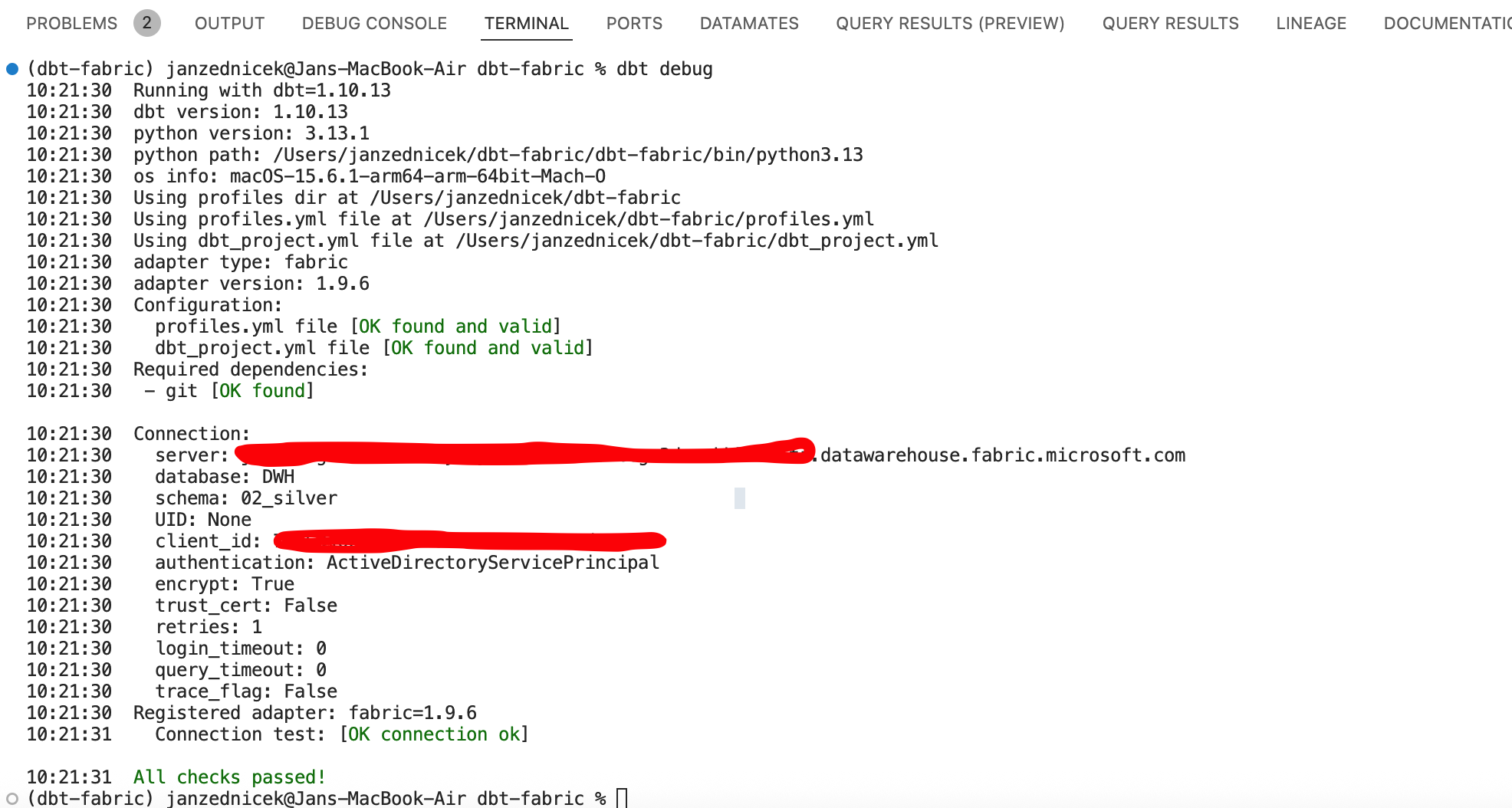
The correctness of the profiles.yml configuration file and permissions can be tested using the dbt debug command in your development environment for the dbt project (e.g., Visual Studio Code).
Conclusion
Configuring SPN authentication in dbt for Microsoft Fabric enables secure and centralized access management to data sources. By using Service Principal, it is possible to completely eliminate the need for interactive sign-ins and ensure seamless integration with DevOps and automation tools — I recommend reading the article about CI/CD automation using Azure Container App Jobs.
In combination with secure storage of secrets and separation of environments (dev, test, prod), this approach provides a secure solution for managing a data platform built on Microsoft Fabric and dbt.