

The Present Value (PV) function is primarily used in financial calculations. The theory of present value is important in finance and financial modeling, especially in investment decision-making. This function helps account for the time value of money – receiving 1 USD today is more valuable than receiving 1 USD tomorrow, because you can invest it (for example, in a bank). For a basic introduction, you can check sources like Wikipedia. At the end of this article, I will show the value of 1 USD received in 10 years with an interest rate of 3%.
Present Value – General Formula

Where:
- PV = Present Value
- FV = Future Value
- i = Discount rate (e.g., risk-free bond yield or effective interest rate)
- n = Number of periods
- (1+i)n = compounding factor
In other words, PV is the future value (e.g., the final account balance if deposited in a bank) adjusted for the opportunity cost. The present value of a future USD is reduced by the interest that could be earned from the opportunity (as reflected in the denominator expressed by the compounding factor). If this is not clear, don’t worry… let’s try it differently:
The formula can also be written this way, which might be easier to understand (the red is discount factor):

Using the discount factor, we reduce the value of a future USD by the potential interest. If this still isn’t clear, check the example below.
Present Value (PV) Function in Excel
=PV(rate, nper, pmt, [fv], [type])
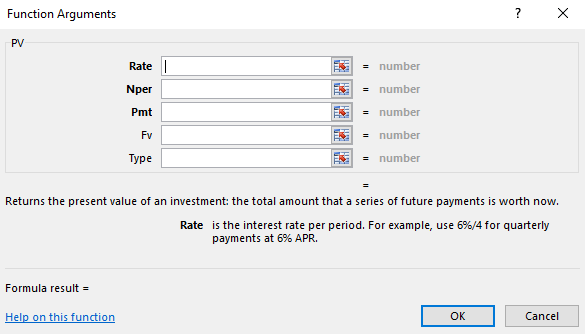
Example of Present Value in Excel
Problem Statement: Calculate the PV of 1 USD to be received in 10 years if you can invest money today for 10 years at 3%.
Solution (see image): The present value of 1 USD to be received in 10 years at an interest rate of 3% is only 0.74 USD.
